Screen applicants faster
MyRoomMate gives listing owners a structured path from listing setup to shortlist: choose your plan, build the listing, configure questions, then review scored applicants in one dashboard.
Built for room listings, shared flats, and landlords who want a more consistent screening process without running everything through email.
A guided builder from start to publish
Move through listing type, basic info, photos, question selection, configuration, and review in one clear wizard before you publish.
Standard first, Plus when you need it
Start with the shared question bank on Standard. Upgrade to Plus when you want to create custom questions for your exact living situation.
Review applicants with real scoring context
Applications are scored against your own rules, surfaced in Top Picks, and managed through shortlist, messaging, and offer states.
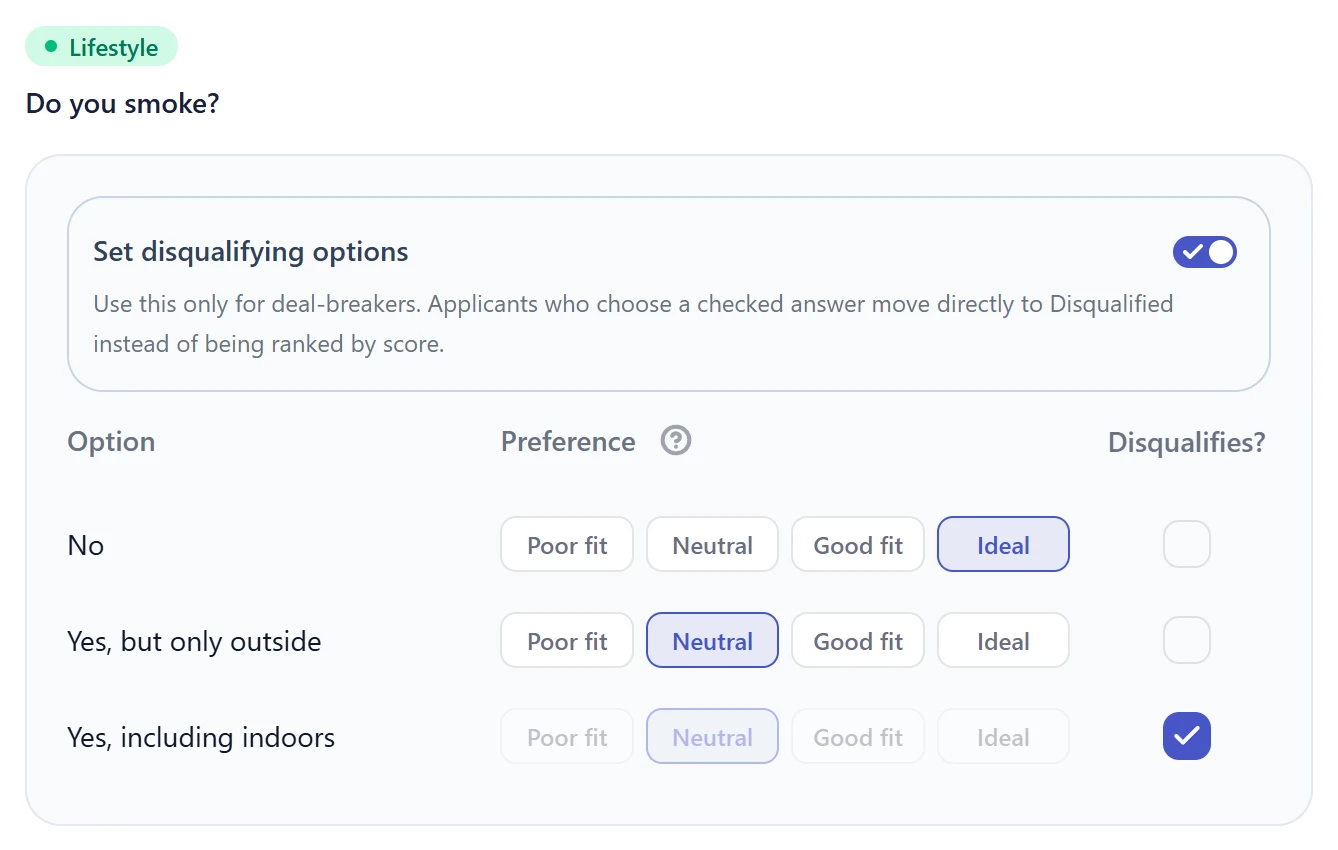
Create Your Custom Questionnaire
Choose from our question bank or add your own. Define preferred answers, assign scores, and mark disqualifying questions. Build a structured, fair, and personalized application form for your room or apartment.
- Pick from a curated question bank across 6 categories — lifestyle, finances, cleanliness, communication, and logistics
- Assign a score to each answer option so the system knows what fits your criteria
- Mark disqualifying questions — applicants who fail your non-negotiables are filtered out automatically
- Plus plan: create unlimited custom questions tailored to your specific living situation
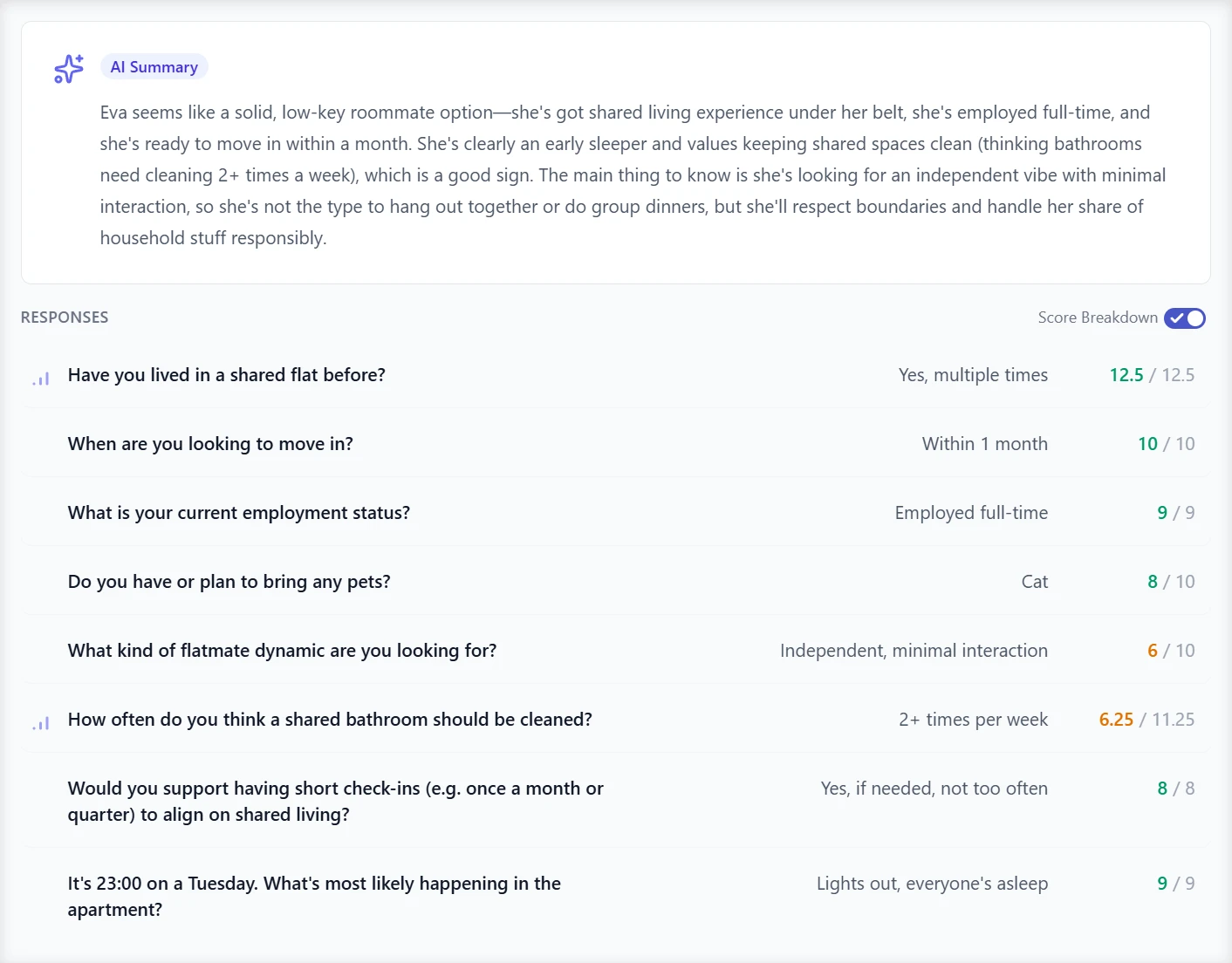
Scoring Based on Your Rules
Every applicant is automatically scored based on your preferences. View an instant breakdown of their answers and see who meets your criteria.
- Every answer is scored automatically using the values you configured
- See how each scored answer contributes to the overall compatibility result
- AI-generated 2-3 sentence summary of each applicant — understand the application without reading every answer
- Percentage-based compatibility score for instant, at-a-glance comparison
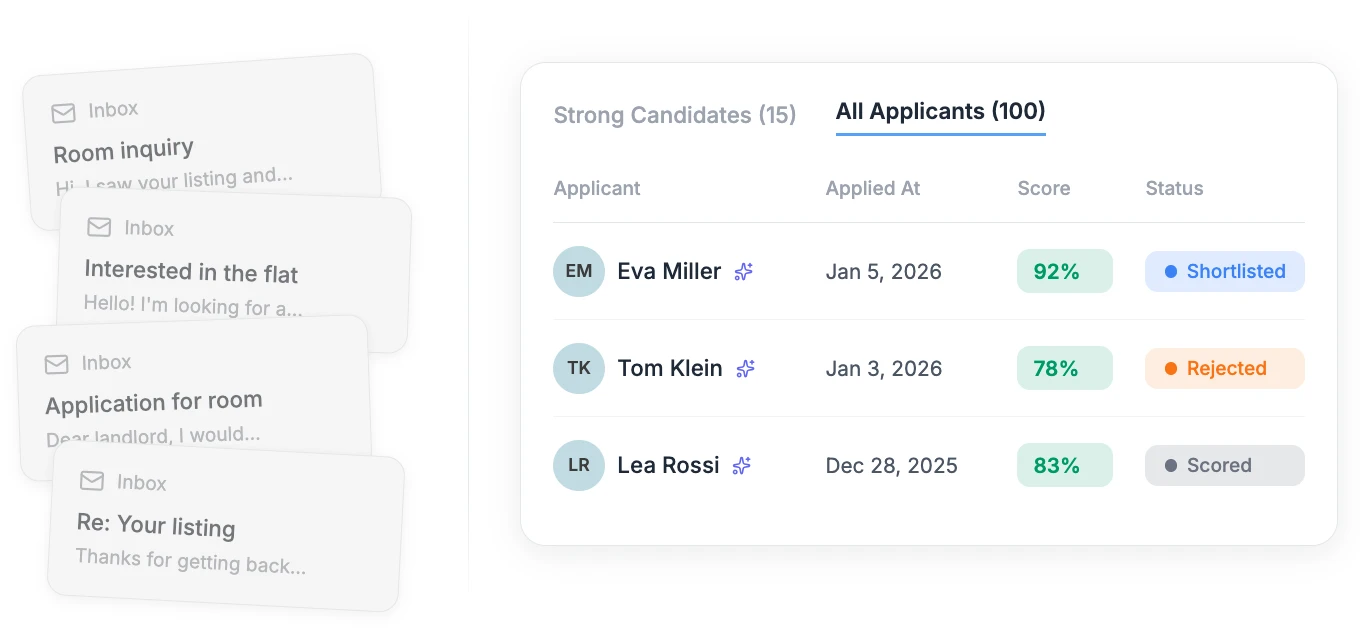
Monitor Applications in Real Time
Track who applied, when, and how many candidates are currently in the pipeline. No more digging through emails — everything stays organized in one clean dashboard.
- Dashboard shows total applications, this week's count, and the most recent submission at a glance
- See pending applicant alerts with a 24-hour offer expiry countdown
- Track every application through its lifecycle — Submitted, Scored, Favorited, Offer Sent, and more
- Share your listing via a unique link or QR code on social media, housing groups, or directly with applicants
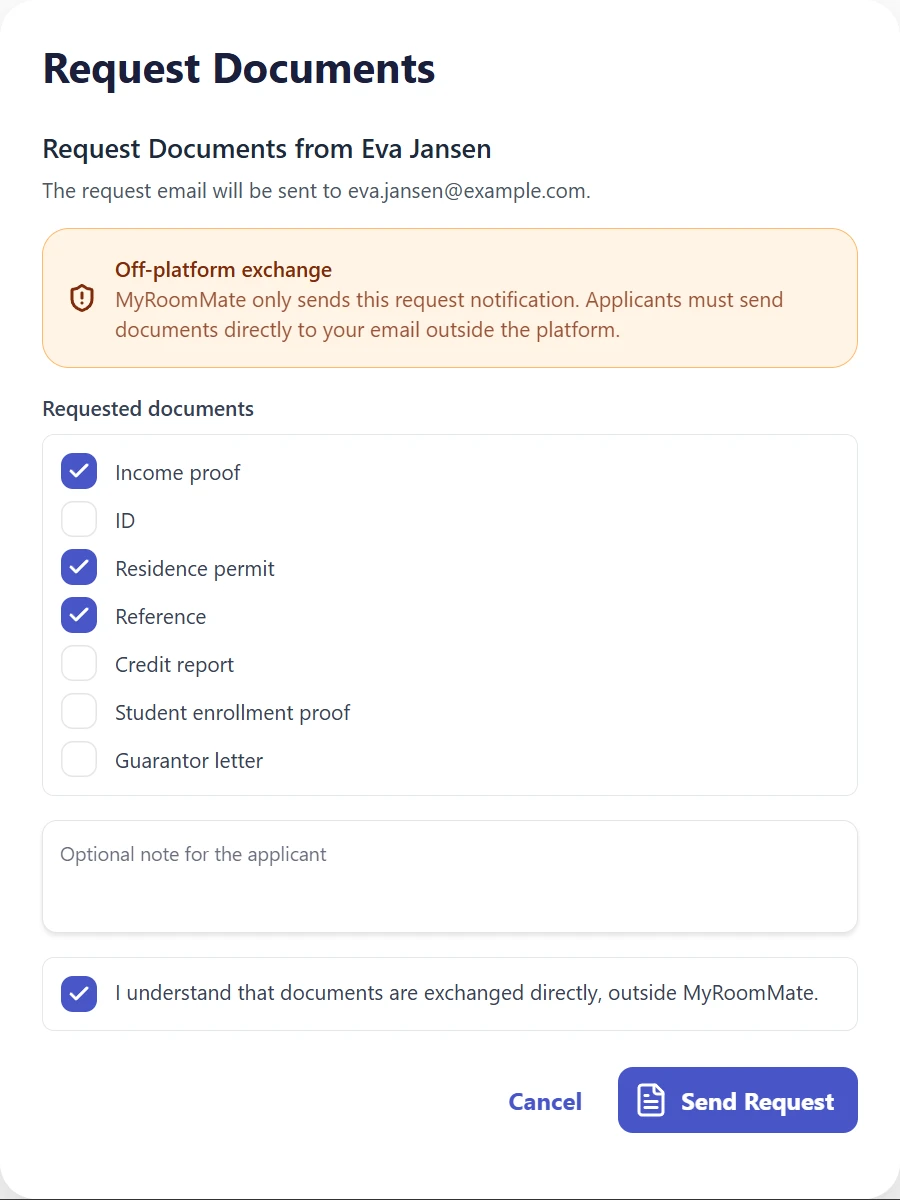
Request Documents Without Losing Track
Ask promising applicants for the documents you need directly from their application. Pick the requested document types, add context, and send the request by email.
- Request income proof, ID, residence permit, references, credit report, student enrollment proof, or guarantor letters
- Add an optional note so applicants know exactly what to send and why
- Built-in acknowledgement makes the off-platform document exchange explicit before sending
- Available from the applicant table and application detail view when the candidate is still active
Compare Applicants Side by Side
Put two candidates next to each other and review their scores, answers, and differences without jumping between profiles.
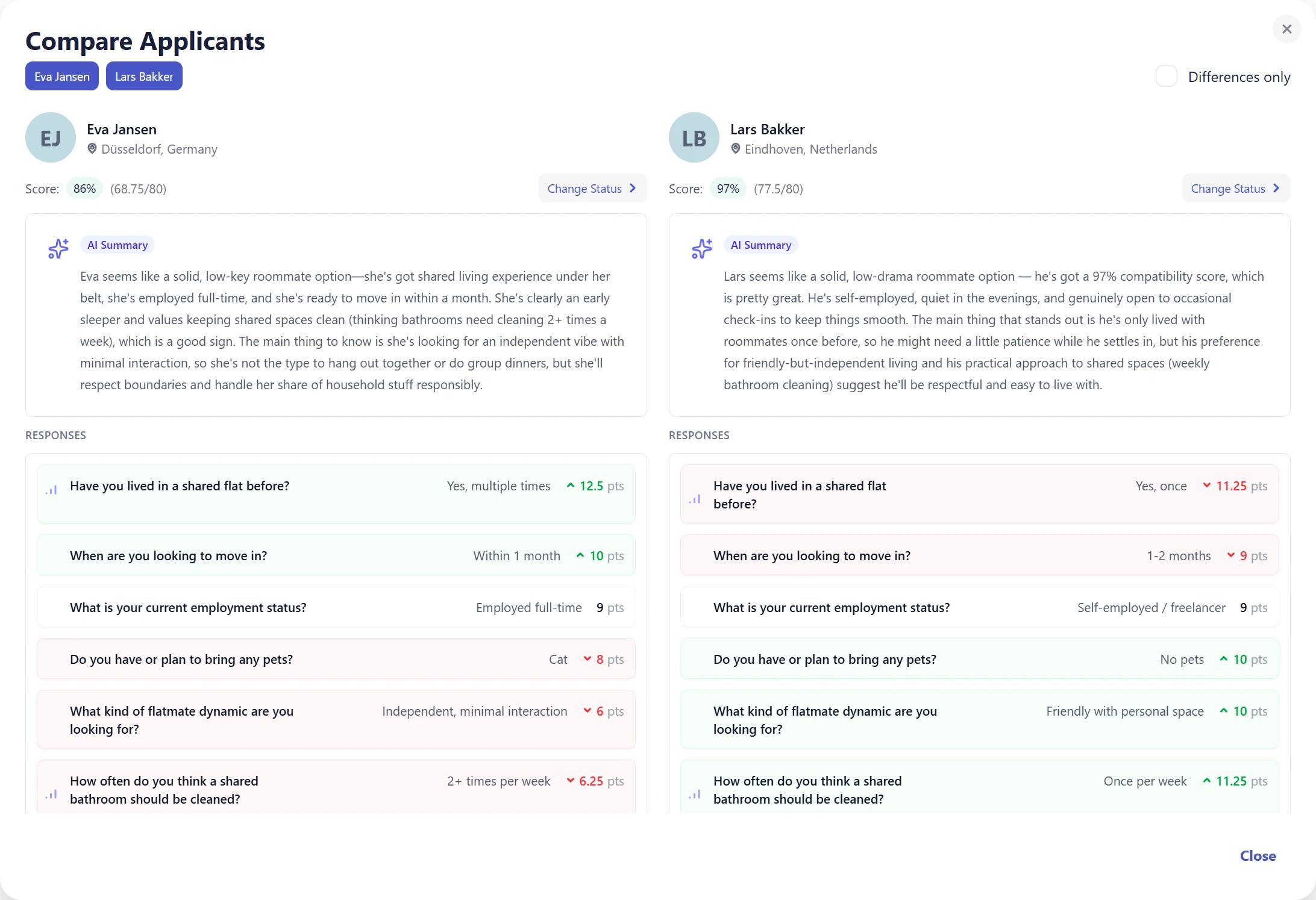
- Select two applicants from the dashboard and open a focused comparison view
- Review per-question scores with higher, lower, and equal indicators
- Use Differences only mode to focus on the answers that separate the candidates
- Swap candidates from pill controls when you want to compare another finalist
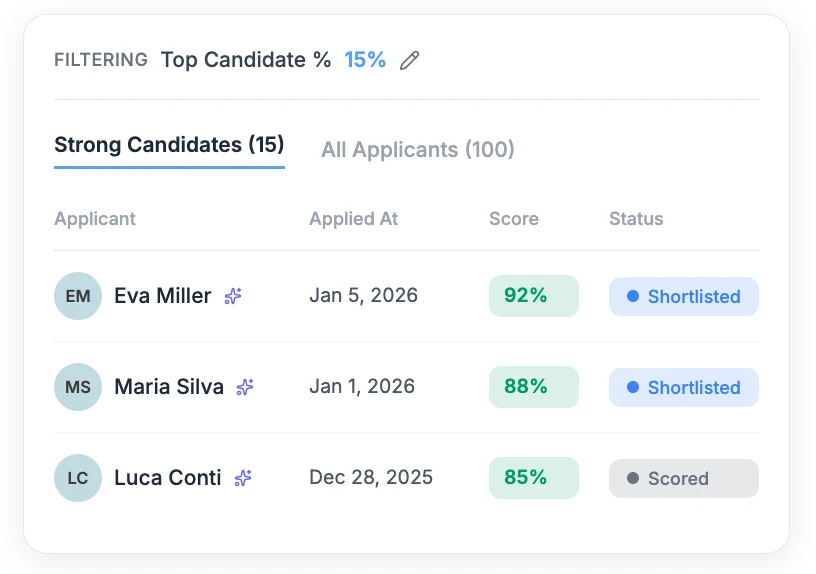
Filter Down to the Strong Candidates
After scoring, you choose how many applicants to review. Filter candidates by compatibility score and focus on the top X%.
- Set your "Top Picks" threshold — see only the top X% of applicants based on score
- Filter by score range, application date, status, or applicant location
- Filters are saved per listing, so your view stays the way you left it
- Bulk actions: update statuses or email several applicants at once
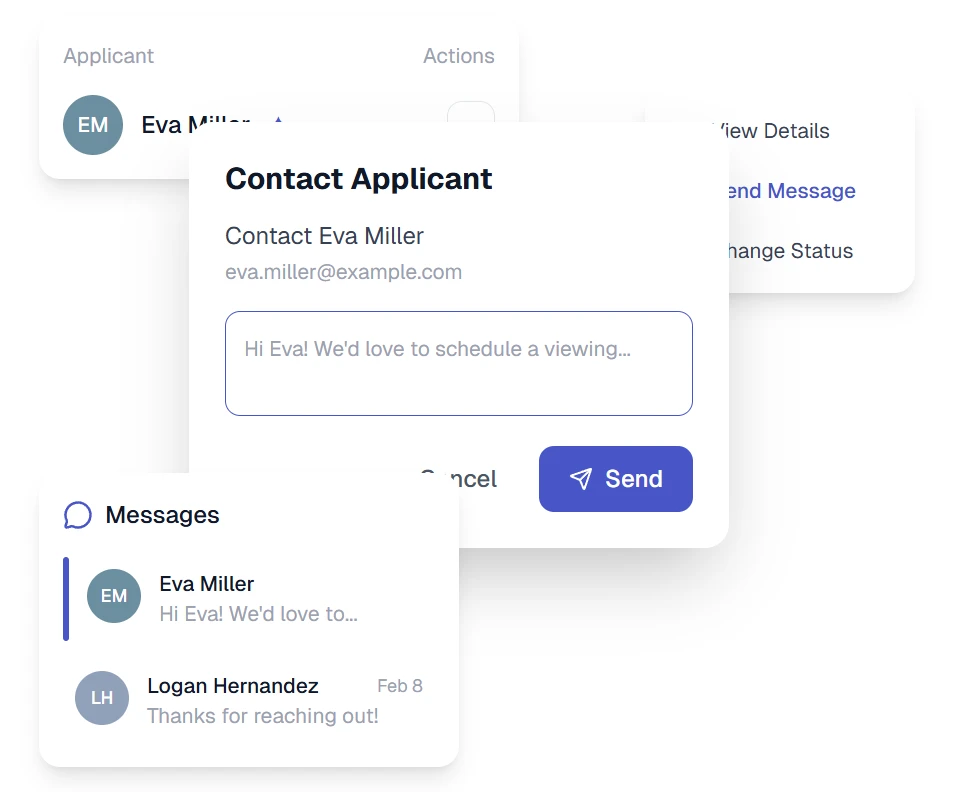
Select & Invite Final Candidates
Select who to invite, send messages, manage contacts, and stay organized — all in one place.
- Accept applicants with a structured 24-hour confirmation window
- Send emails directly from the dashboard — no switching between apps
- Add private notes per applicant to track your impressions and decisions
- Clear status workflow: Favorite, Send Offer, Confirm — always know where each candidate stands
Stop scrolling through emails.
One listing link. Automatic scoring. A ranked shortlist you can review in one place.
Create Your Listing